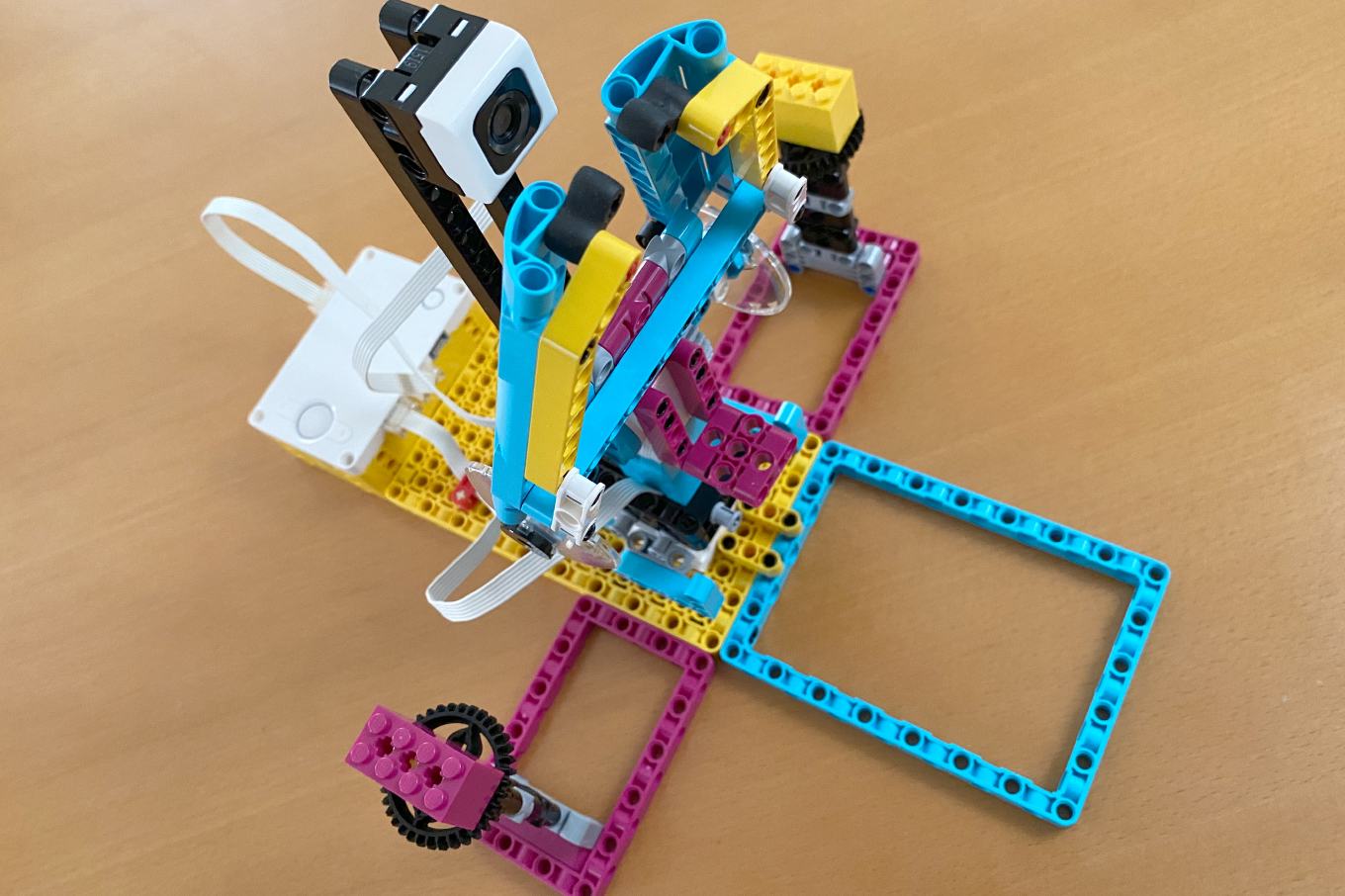
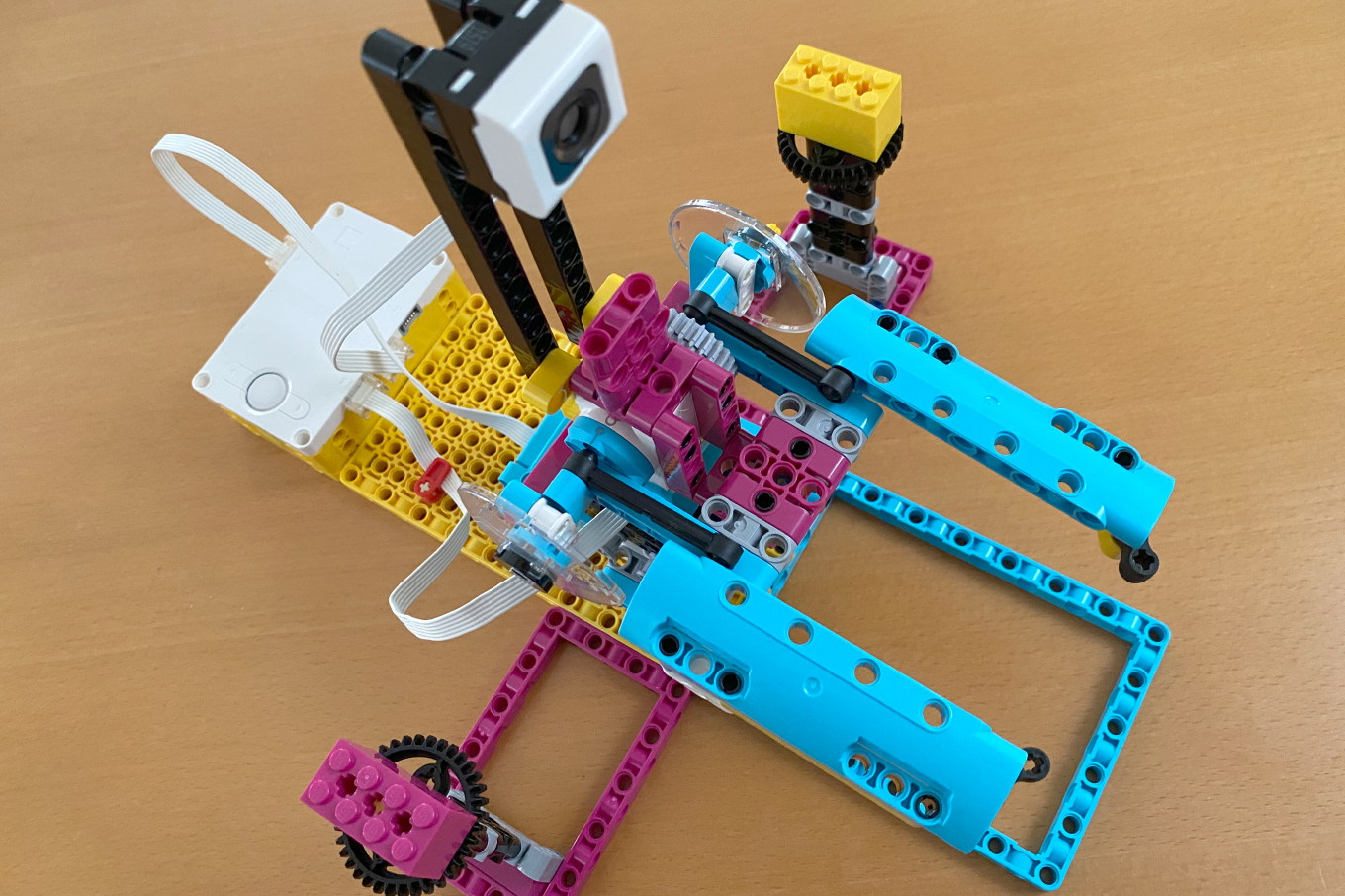
「自動化ロボット」を作成しました。荷物を色で選別する工場ロボットです
公式の教員向けレッスンプランはこちらです
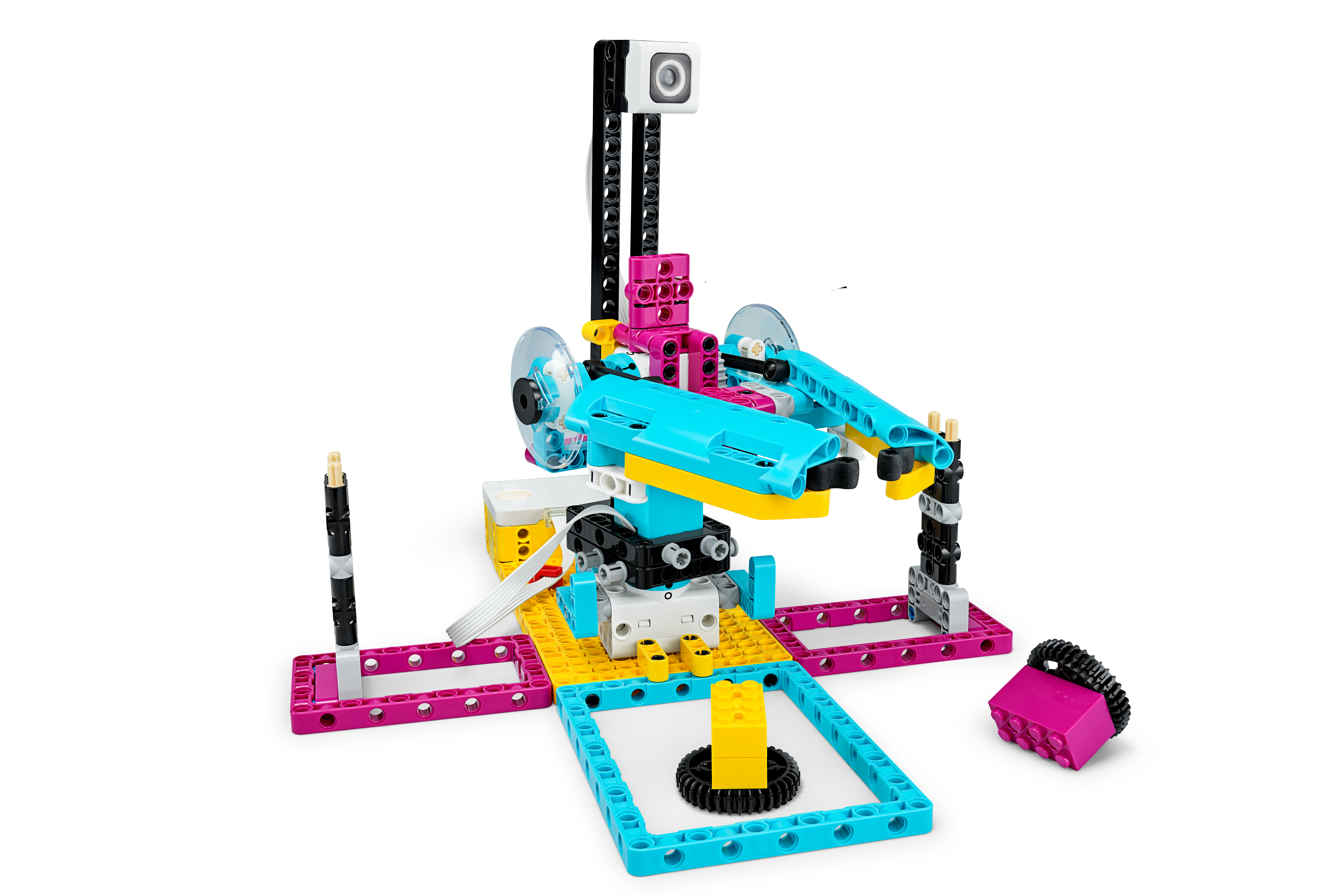
自動化してみましょう!
色に基づいて正しい荷物を見つけ発送できる、自動ヘルパーとそのプログラムを作成します。

education.lego.com
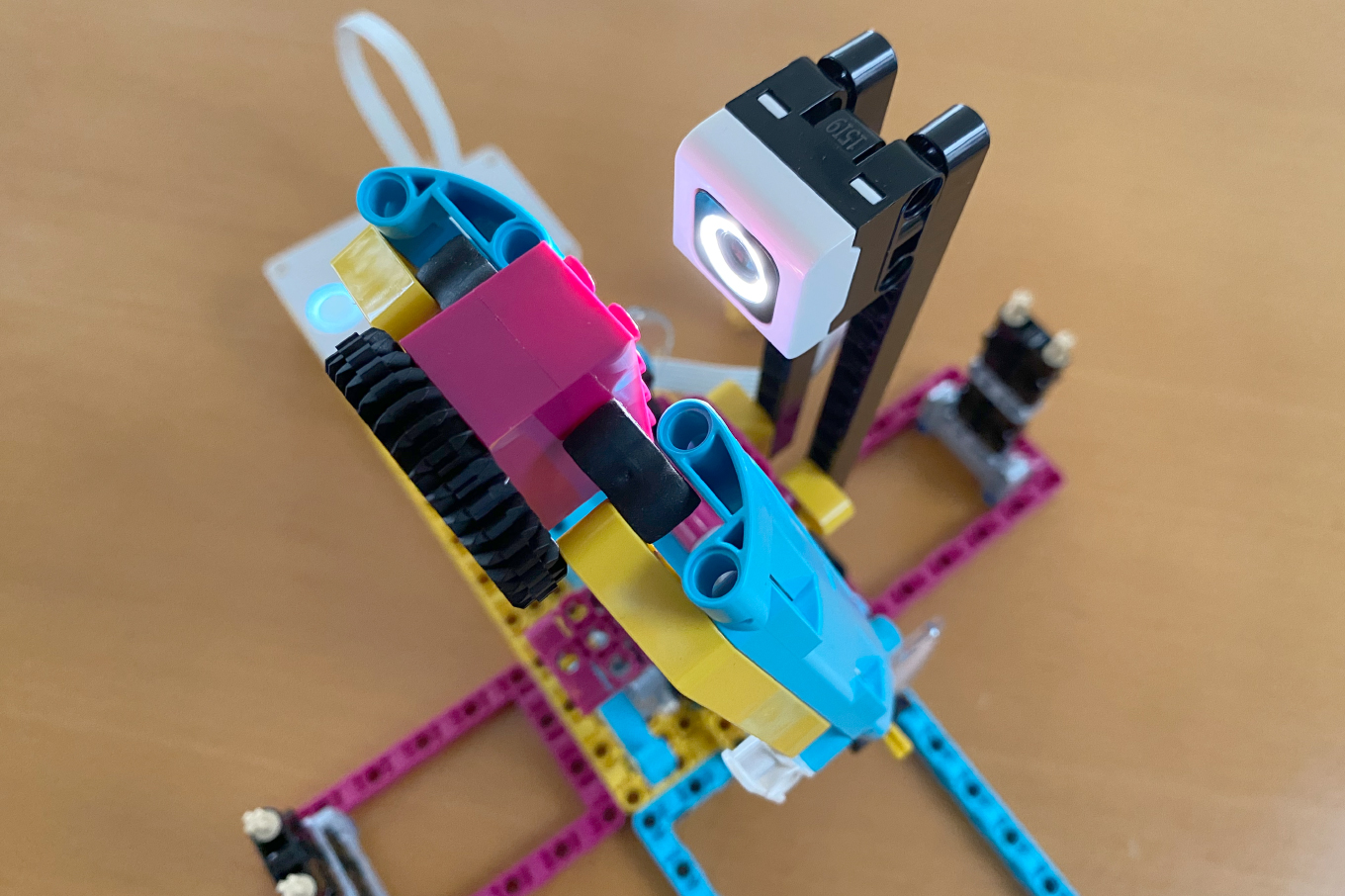
ブロックをじーっと見つめて色を調べます
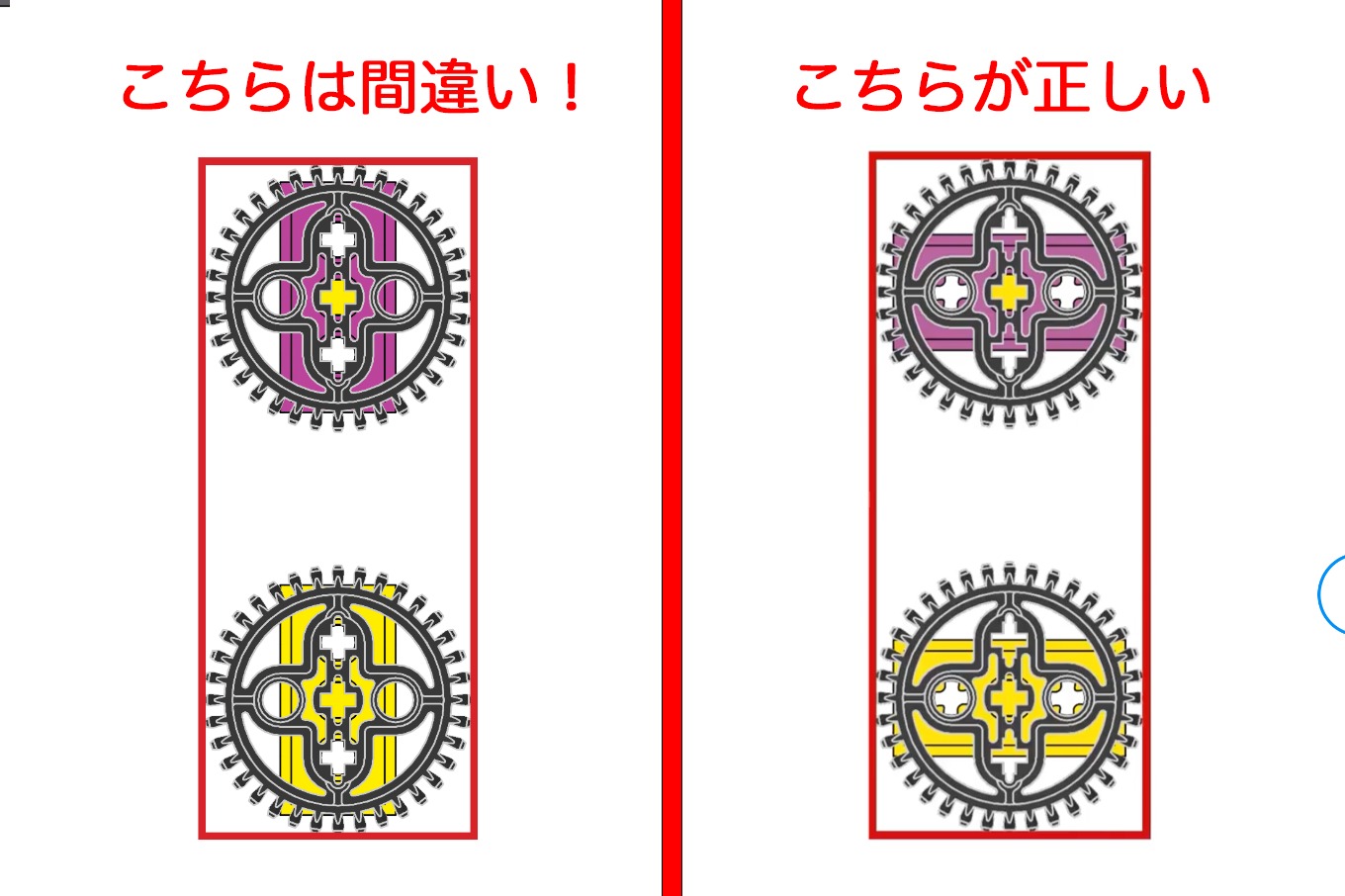
公式サイトの「荷物」の組み立て図のPDF(automate-it-bi-pdf-book3of3.pdf)が間違ってるので注意です。「荷物」の組み立て図はアプリ内でもみられますが、そちらが正解です
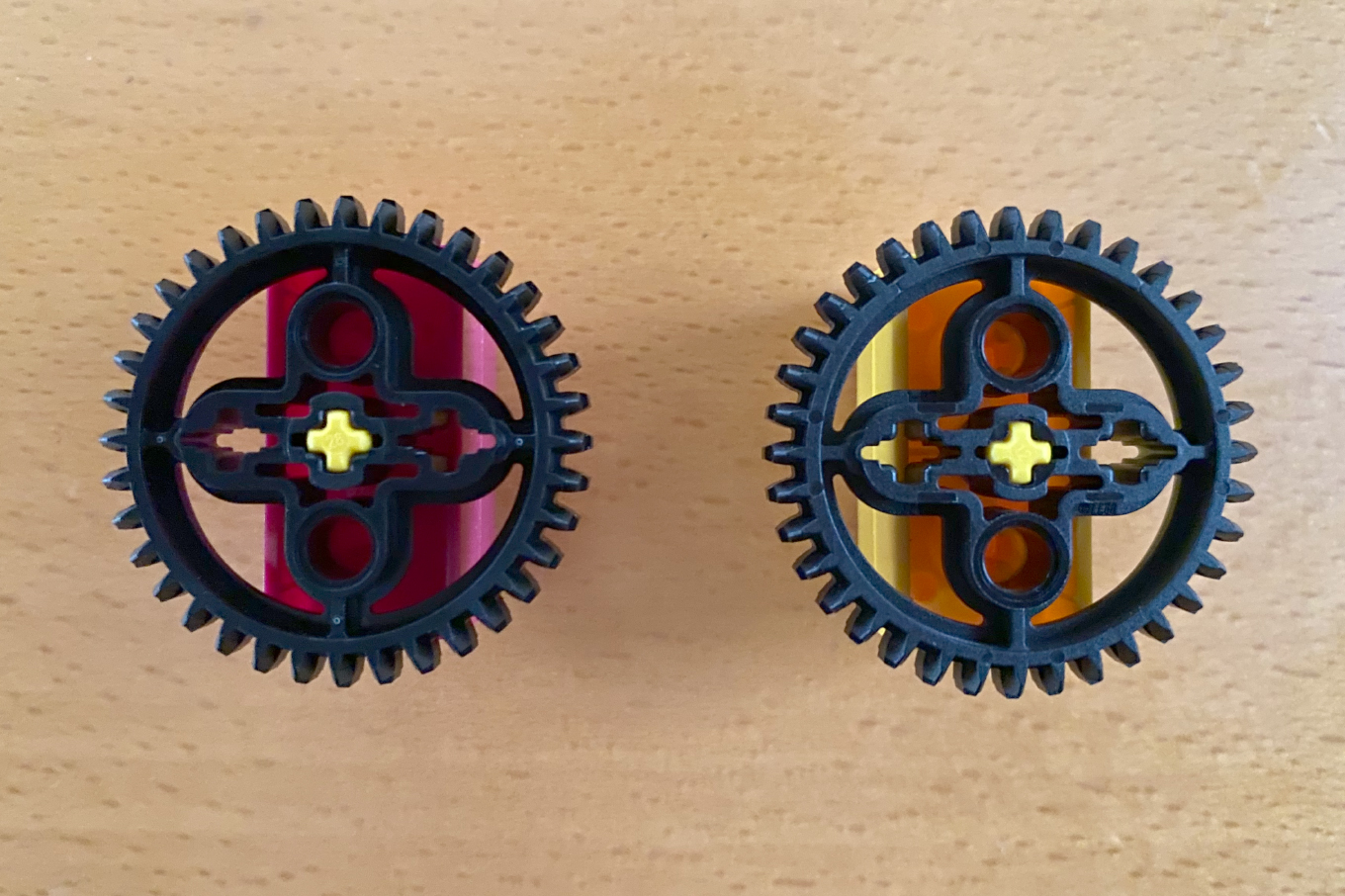
正しく作らないと土台と荷物がガッチリ固定されてしまって、持ち上げることができません・・・
プログラムです。紫のブロック以外は不良品扱いです
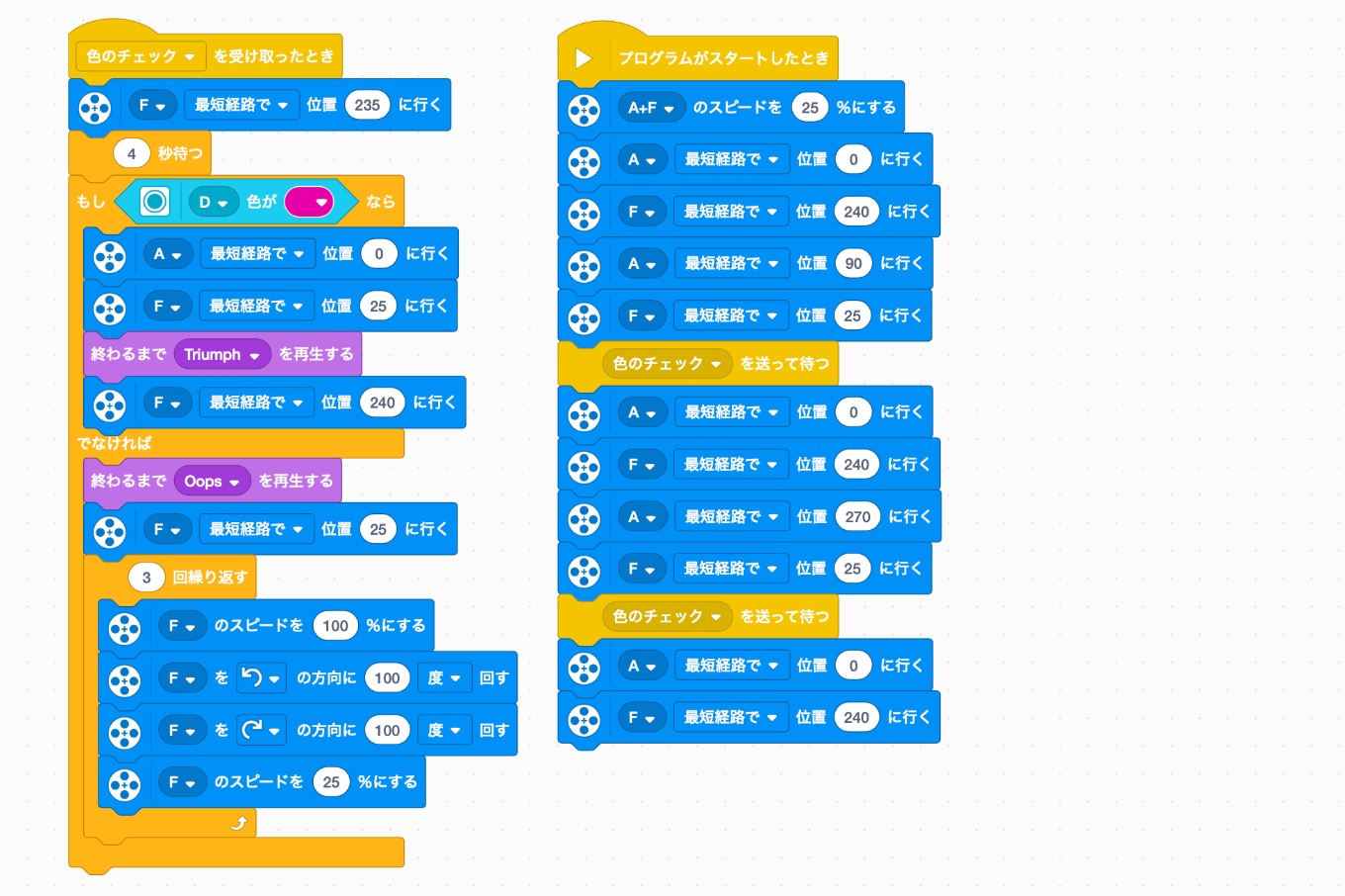
不良品の時の怒っているっぽい動きが面白いです
こちらはPython版
from spike import App, Motor, ColorSensor
from spike.control import wait_for_seconds

app = App()
base_motor = Motor('A')
arm_motor = Motor('F')
color_sensor = ColorSensor('D')

base_motor.set_default_speed(25)
arm_motor.set_default_speed(25)

def check_color():
    # 色をチェックする
    arm_motor.run_to_position(235)
    wait_for_seconds(4)
    if color_sensor.get_color() == 'violet':
        base_motor.run_to_position(0)
        arm_motor.run_to_position(25)
        app.play_sound('Triumph')
        arm_motor.run_to_position(240)
    else:
        app.play_sound('Oops')
        arm_motor.run_to_position(25)
        for x in range(3):
            arm_motor.run_for_degrees(-100, speed=100)
            arm_motor.run_for_degrees(100, speed=100)

# ロボットを起動して、左右両方から1つずつ配達物をつかませます。
base_motor.run_to_position(0)
arm_motor.run_to_position(240)
base_motor.run_to_position(90)
arm_motor.run_to_position(25)
check_color()

base_motor.run_to_position(0)
arm_motor.run_to_position(240)
base_motor.run_to_position(270)
arm_motor.run_to_position(25)
check_color()

base_motor.run_to_position(0)
arm_motor.run_to_position(240)
[PR]